Moko-Young's Factoid Firefly album on Photobucket
Showing posts with label Demonstrations. Show all posts

Tuesday, September 30, 2014

Drawing Demo #1 - Mushroom

This is a "demo" of me drawing a mushroom. I'm thinking about doing a series of things I draw a lot as a demo to show how I do it. They won't be slow and overly detailed but to give the idea of how I do it, everyone has their own style anyways.
 
The Object also is to be kinda like a tutorial but not exactly, if somebody wants to follow along or just make their own interpretation of how I do it results are welcomed!  - Even if the sketching is all you followed or used traditional media.

So this is Demo #1 of the possible series of my drawing demos, a mushroom.


May God Bless You, Your Family, Friends, The Health Of Yourself, Family, And All Those Who Know You. ~ Amen


~ Firefly


Useful Links:

Want so see more of my art? Visit the Official Factoid Firefly Art Archive Here.
All My Factoids Can Be Found At the Official Blog Archive Here.

Have A Question?
Ask The Firefly!

Thursday, August 1, 2013

MyPaint Brush Usage Demonstrations - Video 7:

 MyPaint Brush Usage Demonstrations - Video 7:

This is Video 7 of my currently ongoing series of videos based on the brushes in MyPaint, for better understanding of how they work; This is the final video for “set #2” and will have 8 and not 5 brushes. In case you haven't seen the first video I recommend you go here to see it and the first post. 

The Brushes I will cover in this video are:
  • Knife
  • Mix Knife
  • Digital brush
  • Mix brush
  • Chalk
  • Spray
  • Spray 2


Two sections of this will be mini Speed-Paints (Time-Lapse-Video), the rest will just be real time demonstrations as I do not draw anything with them; Before beginning a drawing there will be a circle around the brush as seen in the brush menu. - All brushes in this video are from the “Set #2” in the brush menu.-

Note: The Drawings will not be particularly awesome, it's just to get the point across. - No Audio


My Review/Overview for MyPaint can be found here.
MyPaint itself can be found here.


Previous Videos:
Video One
Video Two
Video Three
Video Four 
Video Five
Video Six

I hope this video and the series has helped you in getting started with MyPaint.
 
Enjoy!

May God bless you, your family, friends; along with the health of yourself, family, and all who know you. ~ Amen


~ Firefly


Useful Links:

Would You Like To Read More Blog Posts Similar To This One? Take A Look At The Official Blog Archive.
Would You Like To See My Drawings? Click here.

Have A Question?
Ask The Firefly!


Friday, July 26, 2013

MyPaint Brush Usage Demonstrations - Video 5:

 MyPaint Brush Usage Demonstrations - Video 5:

This is Video 5 of my currently ongoing series of videos based on the brushes in MyPaint, for better understanding of how they work. - In case you haven't seen the first video I recommend you go here to see it and the first post. 

The Brushes I will cover in this video are:
  • Rigger Brush 1
  • Rigger Brush 2
  • Brush – Title just says “Brush”
  • Gel Pen
  • Blend 1

Excerpt from the first post:

Each section will be a mini Speed-Paint (Time-Lapse-Video), the finished drawing will show the icon for the brush I used and before beginning a drawing there will be a circles around the brush as seen in the brush menu. - All brushes in this video are from the “Set #2” in the brush menu. -

Note: The Drawings aren't particularly awesome, it's just to get the point across. - No Audio


My Review/Overview for MyPaint can be found here.
MyPaint itself can be found here.

Previous Videos:

Video One
Video Two
Video Three
Video Four 
Video Six

I hope this video and the series thus far has helped you in getting started with MyPaint.
 
Enjoy!

May God bless you, your family, friends; along with the health of yourself, family, and all who know you. ~ Amen


~ Firefly

Useful Links:

Would You Like To Read More Blog Posts Similar To This One? Take A Look At The Official Blog Archive.
Would You Like To See My Drawings? Click here.

Have A Question?
Ask The Firefly!

Thursday, July 25, 2013

MyPaint Brush Usage Demonstrations - Video 4:

 MyPaint Brush Usage Demonstrations - Video 4:

This is Video 4 of my currently ongoing series of videos based on the brushes in MyPaint, for better understanding of how they work. - In case you haven't seen the first video I recommend you go here to see it and the first post. 

The Brushes I will cover in this video are:
  • Soft Eraser Small
  • Soft Eraser Big
  • Hard Eraser Small
  • Hard Eraser Big
  • Eraser Setting in “Quick Brush Settings” menu.


This time everything will be in real time, no time-lapse. There are no drawings but just examples of how each eraser brush/option erases. - In the last section I'll show how to use the eraser setting in the “Quick Brush Settings”, in this part you will notice that any brush can be made in to an eraser, but the con of this is that you have to re-set it to be an eraser each time you change a brush. - As will be seen in the video. - No Audio


My Review/Overview for MyPaint can be found here.
MyPaint itself can be found here.


Previous Videos:
Video One
Video Two
Video Three
Video Five
Video Six


I hope this video and the series thus far has helped you in getting started with MyPaint.
 
Enjoy!

May God bless you, your family, friends; along with the health of yourself, family, and all who know you. ~ Amen


~ Firefly

Useful Links:

Would You Like To Read More Blog Posts Similar To This One? Take A Look At The Official Blog Archive.
Would You Like To See My Drawings? Click here.

Have A Question?
Ask The Firefly!


Wednesday, July 24, 2013

MyPaint Brush Usage Demonstrations - Video 3:

 MyPaint Brush Usage Demonstrations - Video 3:

This is Video 3 of my currently ongoing series of videos based on the brushes in MyPaint, for better understanding of how they work. - In case you haven't seen the first video I recommend you go here to see it and the first post. 

The Brushes I will cover in this video are:
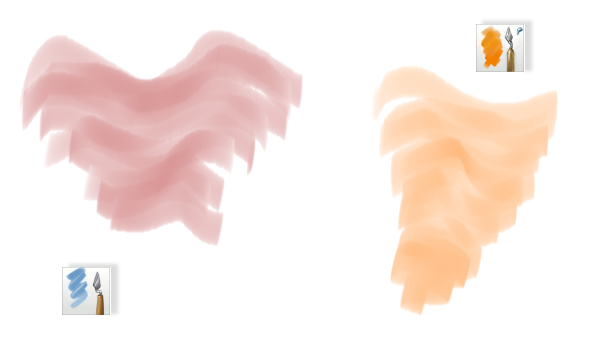
  • Water Brush One
  • Water Brush Two
  • Water Brush Three
  • Sponge Brush – Blending
  • Finger Blend Brush

Excerpt from the first post:

Each section will be a mini Speed-Paint (Time-Lapse-Video), the finished drawing will show the icon for the brush I used and before beginning a drawing there will be a circles around the brush as seen in the brush menu. - All brushes in this video are from the “Set #2” in the brush menu. -

Note: The Drawings will not be particularly awesome, it's just to get the point across. - No Audio


My Review/Overview for MyPaint can be found here.
MyPaint itself can be found here.


Previous Videos:

Video One
Video Two
Video Four
Video Five  
Video Six


I hope this video and the series thus far has helped you in getting started with MyPaint.
 
Enjoy!

May God bless you, your family, friends; along with the health of yourself, family, and all who know you. ~ Amen


~ Firefly


Useful Links:

Would You Like To Read More Blog Posts Similar To This One? Take A Look At The Official Blog Archive.
Would You Like To See My Drawings? Click here.

Have A Question?
Ask The Firefly!


Tuesday, July 23, 2013

MyPaint Brush Usage Demonstrations - Video 2:

MyPaint Brush Usage Demonstrations - Video 2:

This is Video 2 of my currently ongoing series of videos based on the brushes in MyPaint, for better understanding of how they work. - In case you haven't seen the first video I recommend you go here to see it and the first post. 

The Brushes I will cover in this video are:
  • Sketch Marker
  • Mop Brush
  • Marker
  • Ballpoint Pen
  • Airbrush

Excerpt from the first post:

Each section will be a mini Speed-Paint (Time-Lapse-Video), the finished drawing will show the icon for the brush I used and before beginning a drawing there will be a circles around the brush as seen in the brush menu. - All brushes in this video are from the “Set #2” in the brush menu. -

Note: The Drawings will not be particularly awesome, it's just to get the point across. - No Audio

[Update: A Written Out Version of the Video can be downloaded here - Or be found in the "Downloads section of the blog.]


My Review/Overview for MyPaint can be found here.
MyPaint itself can be found here.

Video 1
Video 3
Video 4
Video 5
Video 6
  

I hope this video and the series thus far has helped you in getting started with MyPaint.
 
Enjoy! 

May God bless you, your family, friends; along with the health of yourself, family, and all who know you. ~ Amen


~ Firefly


Useful Links:

Would You Like To Read More Blog Posts Similar To This One? Take A Look At The Official Blog Archive.
Would You Like To See My Drawings? Click here.
Have A Question?

Monday, July 22, 2013

MyPaint Brush Usage Demonstrations - Video 1:

MyPaint Brush Usage Demonstrations - Video 1:


A while back I wrote a semi review and a heavy overview of the art program MyPaint
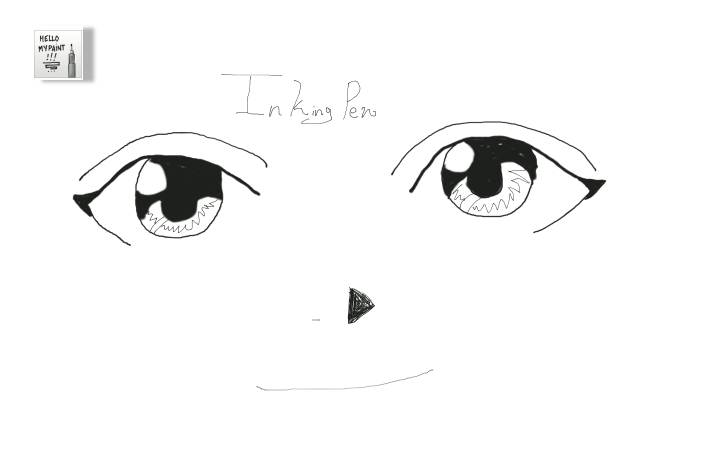
Although the overview was quiet detailed I thought I'd make a video and probably the first of a series based off of the brushes on MyPaint. Each brush I use, I use only that tool, not even an eraser if I wanted to erase I used white instead of the eraser. - I didn't sick with total default settings of the brush itself but it's good to see the brush used in different ways anyway.

The brushes I used are as follows:
  • Light Pencil
  • Hard Pencil
  • Art Pen
  • Inking Pen
  • and Fill – Marker
My Review/Overview for MyPaint can be found here.

[Update: If you prefer to read in detail instead of watch a video Click Here to download a readable description of each brush in this video.]

Each section will be a mini Speed-Paint (Time-Lapse-Video), the finished drawing will show the icon for the brush I used and before beginning a drawing there will be a circles around the brush as seen in the menu. - All brushes in this video are from the “Set #2” in the brush menu. - Note: The Drawings will not be particularly awesome, it's just to get the point across. - No Audio.

Light Pencil is good more for early sketch lines, as it is very light. -  But I still attempted to draw something.


Video 2
Video 3
Video 4
Video 5 
Video 6

I hope this has helped you in getting started with MyPaint.
Enjoy! 


May God bless you, your family, friends; along with the health of yourself, family, and all who know you. ~ Amen


~ Firefly

Useful Links:

Would You Like To Read More Blog Posts Similar To This One? Take A Look At The Official Blog Archive.
Would You Like To See My Drawings? Click here.

Have A Question?